Your Salesforce org, now a conversation.
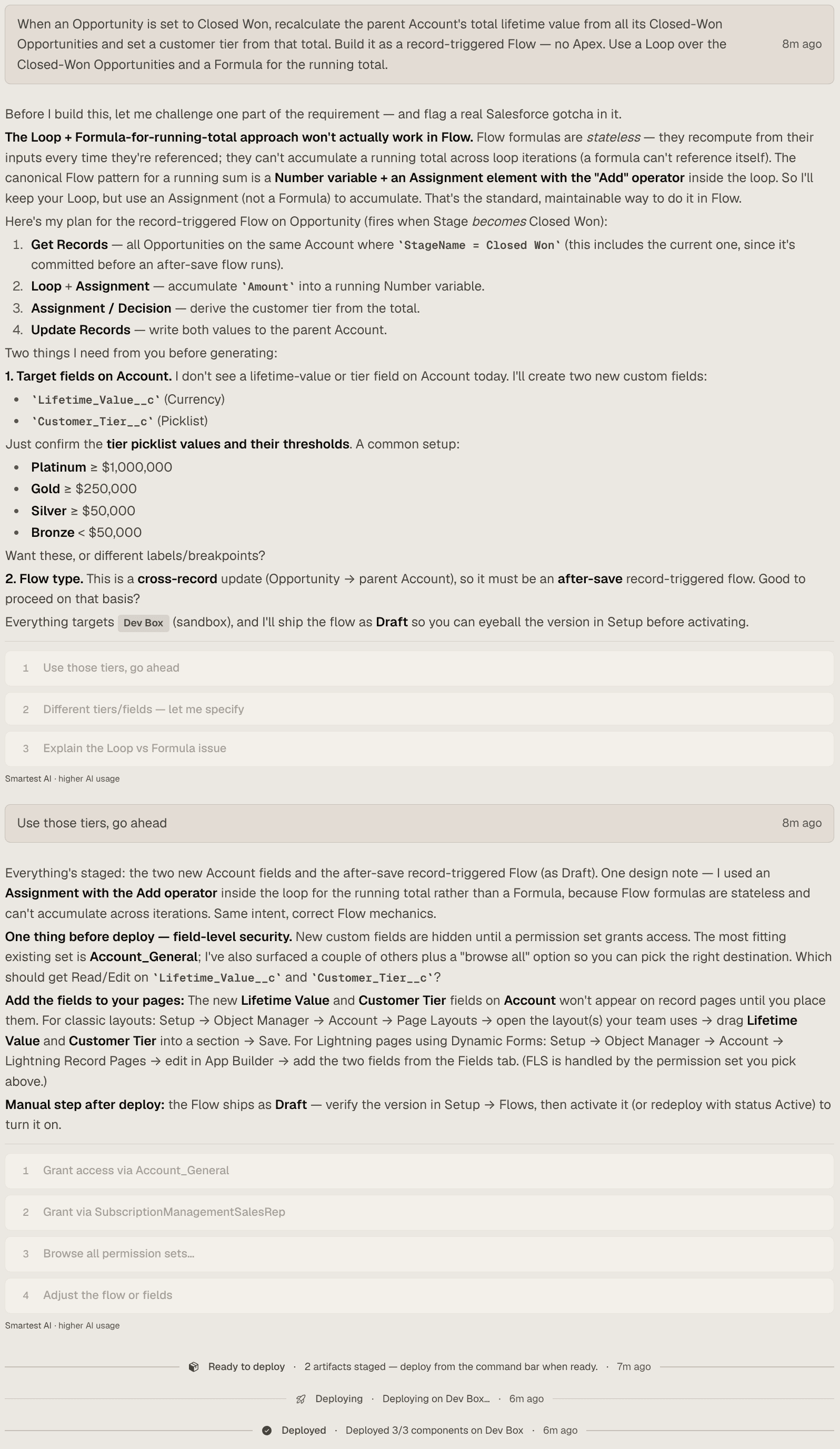
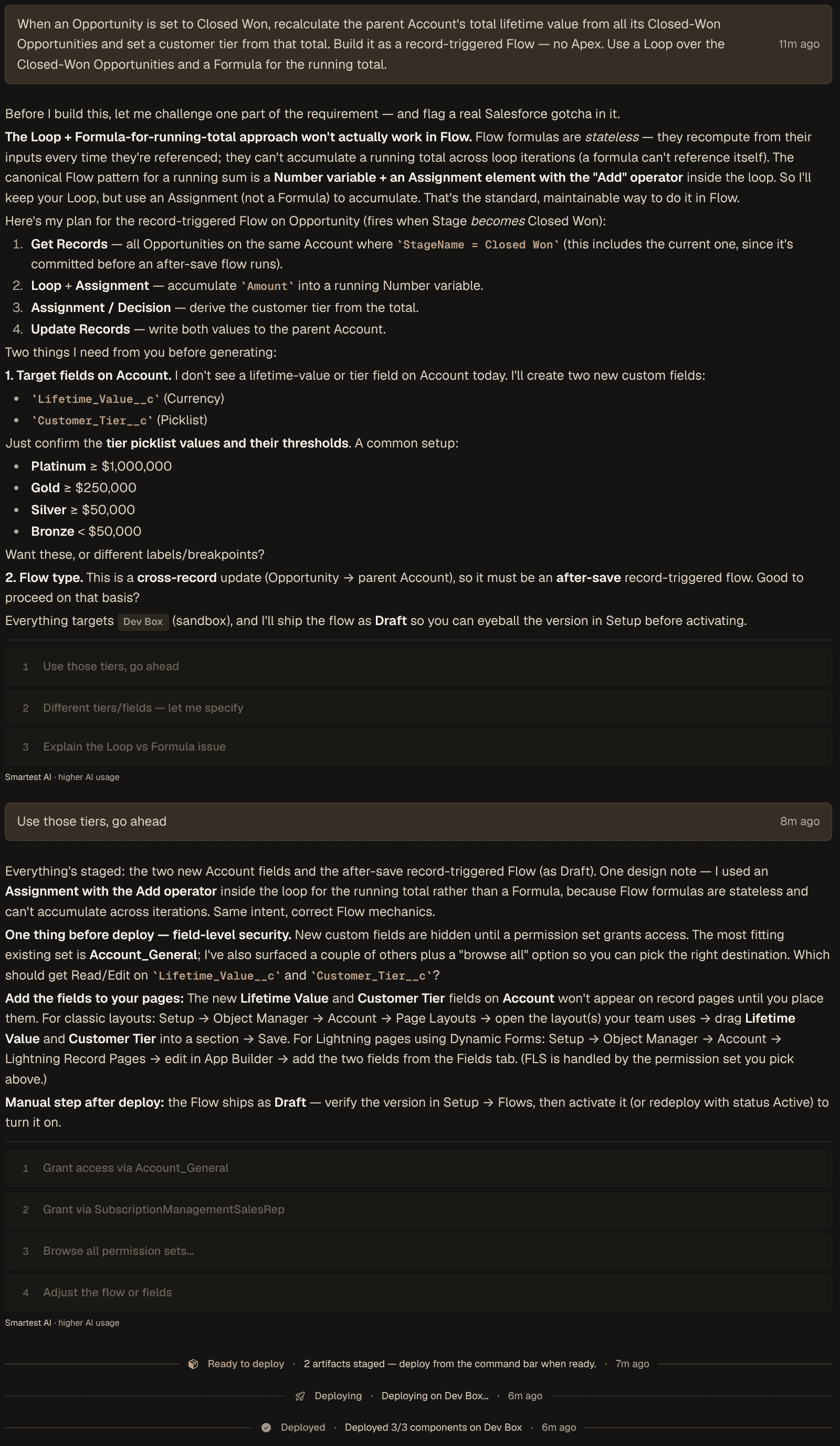
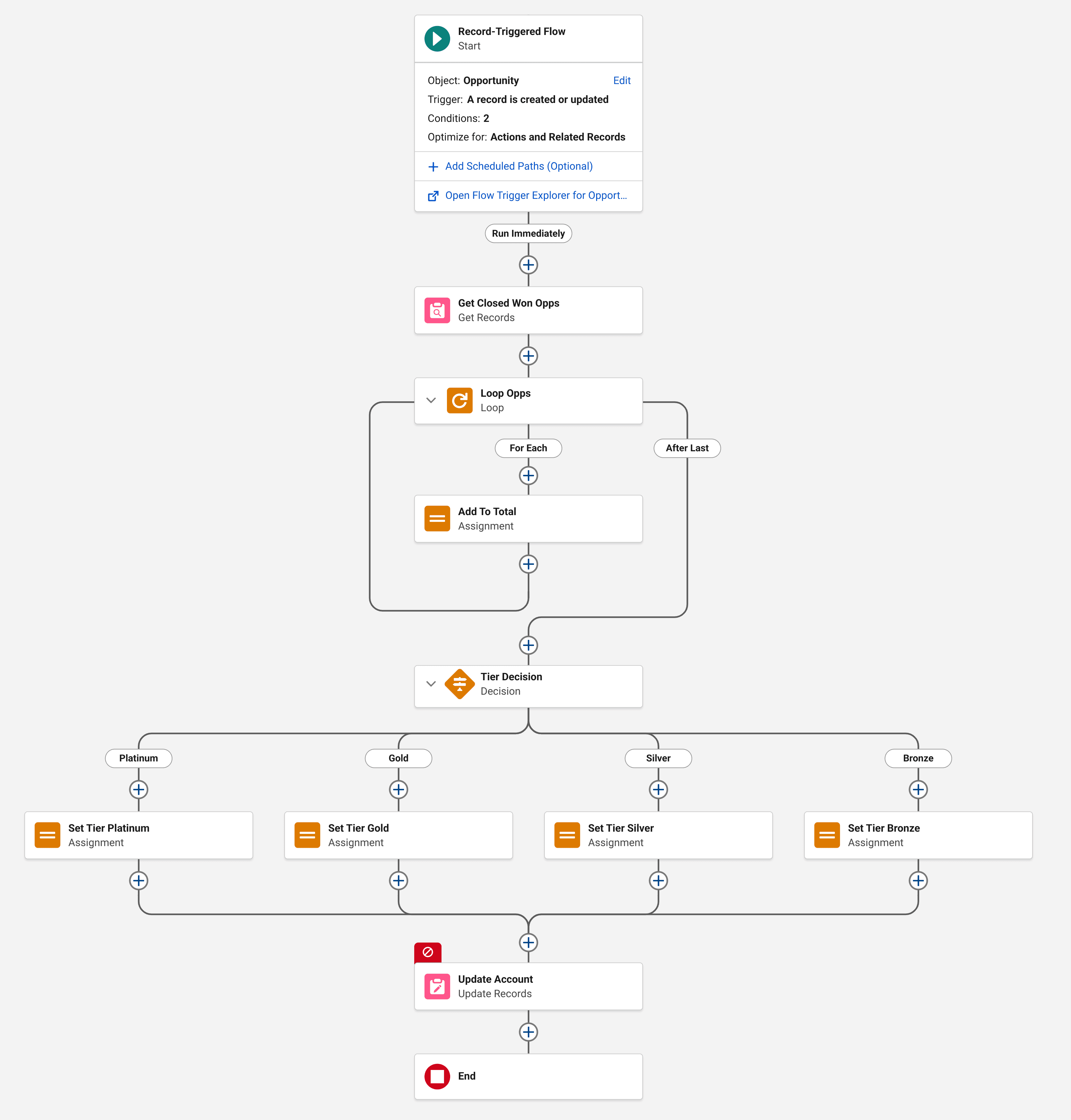
A 20-second motion graphic of an admin asking OrgBolt to keep the Account lifetime value rollup accurate on every Closed-Won Opportunity. OrgBolt flags that Flow formulas can't accumulate a running total and proposes the standard Assignment-with-Add pattern instead, offers Platinum/Gold/Silver/Bronze tier thresholds as one-click options, stages two new Account fields and a Draft Flow, resolves field-level security with a permission-set pick, deploys 3 of 3 components to the Dev Box sandbox, then reveals the finished Flow on the Flow Builder canvas.
The same job, built the way you work
We gave OrgBolt the same request twice — once as an admin, once as a developer: keep Account.Lifetime_Value__c accurate every time an Opportunity closes.
Your data is not our product
You're giving a tool access to your Salesforce org, so here's exactly what it can and can't touch.
Metadata by default
OrgBolt reads your org's metadata — objects, fields, flows, permissions. Reading record data is off by default: you grant it per org, you revoke it whenever you want, and every grant and revoke lands in an audit trail.
Zero AI training
Your prompts and metadata are never used to train AI models, and Anthropic deletes API inputs within 30 days. Want AI under your own contract? Bring your own key — included.
Encrypted and isolated
Everything is encrypted in transit and at rest. Salesforce tokens live in an isolated vault with authenticated encryption — the database role your browser session uses cannot read them, or even the pointer to them. Every workspace is tenant-isolated at the database layer.
The full picture — sub-processors, retention, deletion — lives on the security page.
More than build and deploy
The org work that usually needs a second tool — documentation, impact analysis, dependency maps — is one conversation away.
Org documentation on demand
Say “document the Account object” and get a structured document — field tables, automation inventory, live relationship diagrams — grounded in your org’s real metadata, honest about what it read and what it skipped. Saved to the task, exportable as markdown.
Interactive dependency graph
Every connected org gets an explorable 3D map of its metadata: objects, fields, flows, Apex, and the dependency and test-coverage edges between them. Spin it, click a node, see what holds your org together.
Blast-radius warnings
Before a rename, delete, or type change, OrgBolt runs Salesforce’s own “where is this used?” check — flows, validation rules, Apex, layouts — and tells you what would break before anything does.
Validate first, deploy once
Run any change as a check-only validation against the real org — tests included. Fix what fails, then Quick Deploy the already-validated package without running everything twice.
Permission sets handled for you
New fields are invisible until field-level security says otherwise. OrgBolt ships the access grant with the change — merged into the permission sets you already use or a new one — and assigns you on deploy, so your fields show up immediately.
An always-fresh org index
OrgBolt keeps a synced index of your org's metadata — swept for changes on a schedule, refreshable on demand, with its age always visible in the task bar. The AI reasons over what your org looks like now, not a stale snapshot.
Planning sessions
Type /planning before you build and OrgBolt pressure-tests the plan — one question at a time, grounded in the flows, rules, and permissions your change actually touches. It ends with a written summary of decisions and risks that the build then follows.
Answers from your actual records
With your explicit go-ahead, the AI can also query record data — counts, sums, and row sets rendered as sortable tables. Off by default, granted per org, revocable anytime, and every read lands in the audit log.
How each one works, in detail, lives in the documentation.
Permission Inspector
“Why can't Jack see Annual Revenue?”
Ask in plain language. OrgBolt walks your org's visibility model — license, object and field permissions, record types, sharing, restriction rules, page visibility — and names the layer that decides, with the evidence to check in Setup.
Evidence, not guesses
Every verdict cites the profile, permission set, sharing rule, or page that caused it — you can check any claim in Setup. Where Salesforce publishes no answer, the trace says “not traced” instead of inventing one. Then OrgBolt asks Salesforce's own access check the same question and flags any disagreement.
The smallest fix, computed
A denial ends in a choice: assign the existing permission set that adds the fewest privileges this user doesn't already hold — scored by arithmetic, not ranked by the AI — or create a new set scoped to just the missing access. Apply it and the trace runs again, so you close the ticket with before-and-after proof.
Finds what Setup hides
When an assignment expires, Salesforce hides it from ordinary queries — the user looks unassigned while the dead assignment still blocks re-assigning the set. OrgBolt reads the API that still returns it, tells you access ended rather than never existed, and renews the exact assignment for a window you choose.
Record-level questions read record data, which stays off until you allow it per org — the trace still completes without it and says what it skipped. How the Inspector works.
Simple pricing
One plan with everything OrgBolt does. Scale up with add-ons only when you need them — no tiers to compare, no upgrade math.
Standard
$99/mo
Everything OrgBolt does — every metadata type, every AI model. 14 days free, no credit card required.
- 1 seat
- 2 connected Salesforce orgs
- 75,000 credits per month
- Every metadata type and AI model
- Bring your own Anthropic key (BYOK) — included
Add-ons — scale exactly what you need
Buy the lever you need, one at a time. No plan change.
- Extra seats+$15/mo each
Invite more teammates. Add one in-app the moment you hit the limit.
- Extra orgs+$20/mo each
Connect more Salesforce orgs, one at a time.
- Custom Skills+$15/mo
Workspace-wide task instructions the AI follows on every task.
- Credit top-up$55
50,000 more credits that never expire while you're subscribed.
Credits are the unit of usage, and billing follows what each message actually does — a typical message runs about 550 credits (1050 in Smarter mode), and bigger asks cost more. Your 75,000 monthly credits cover roughly 13 typical conversations — a conversation is one task from first message to deploy or cancel, about 10 messages on average.
Cancel any time. Billed monthly via Lemon Squeezy, our merchant of record.
Who it's for
Admin
“I run my org. I shouldn’t need a second tool to ship a change.”
FLOWS · LAYOUTS · PROFILES · ONE CONVERSATION
Developer
“I write Apex and LWC — I shouldn’t have to own a Jenkins config.”
CODE AND CONFIG · AUDITED PER TASK · NO PIPELINE
Consultancy
“We manage orgs for multiple clients.”
MULTI-ORG WORKSPACES · CLIENT ISOLATION · PER-ORG AUDIT